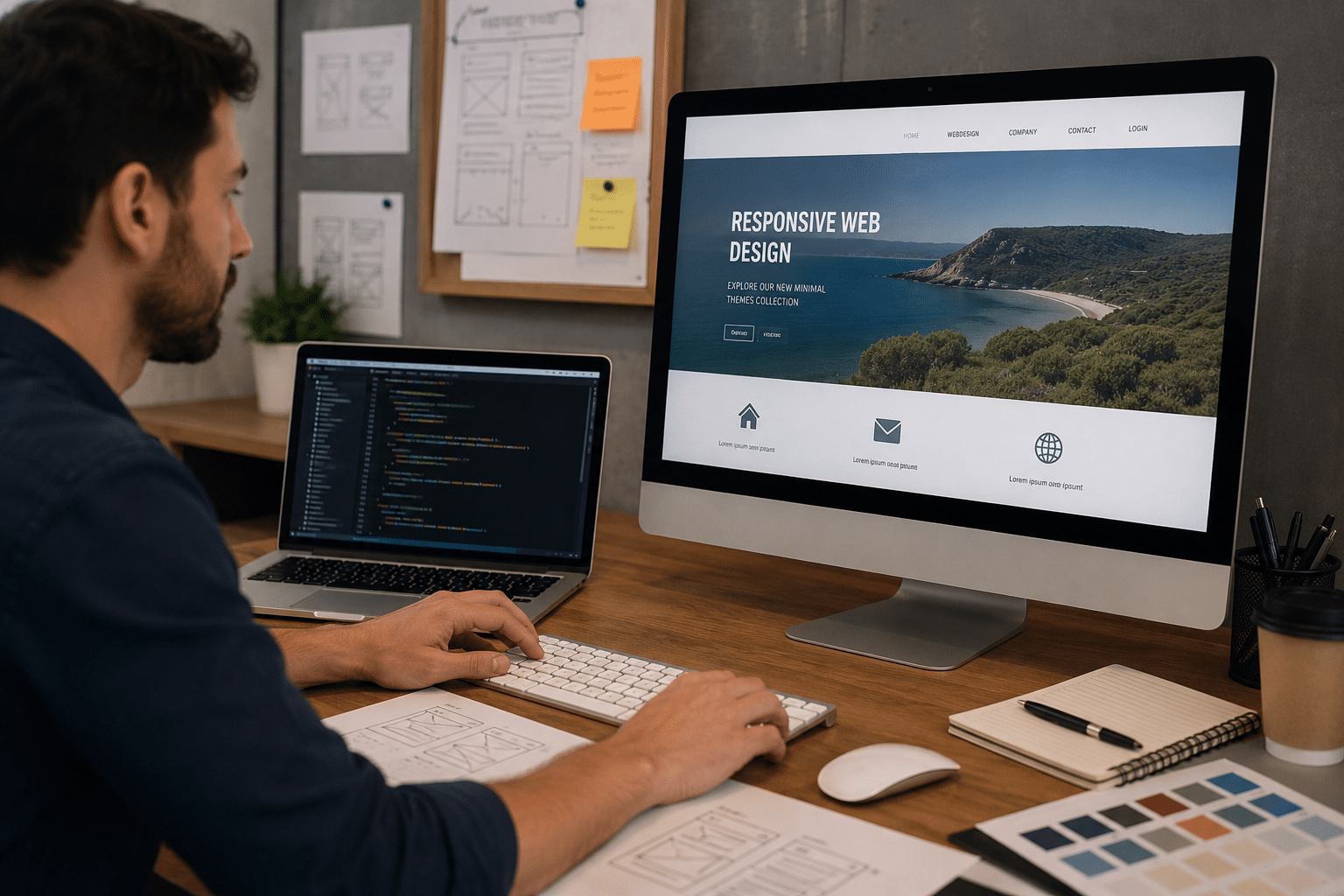
If you are searching for web design html in Australia, you are probably trying to understand how websites are built, what makes a page professional, and whether your business needs a custom website, a template, or agency support. From my experience working with service-based businesses, HTML is not just a technical detail. It shapes how a website looks, loads, ranks, and works for real customers.
Many Australian businesses focus first on colours, logos, and layouts. However, the structure behind the page matters just as much. A good website needs clear content, fast loading, accessible design, strong calls to action, and a solid technical foundation. HTML helps provide that foundation.
This guide explains web design html in plain English. It covers what HTML does, why it matters for SEO, how it affects accessibility, what Australian businesses should consider, and how to plan a website that supports long-term growth.
Table of Contents
- What Is Web Design HTML?
- Why HTML Still Matters for Australian Websites
- Web Design HTML and SEO
- HTML, Accessibility and Australian Expectations
- Web Design HTML vs Website Builders
- Key Elements of a High-Performing HTML Website
- Onshore vs Offshore Web Design HTML Support
- Web Design HTML Project Checklist
- Common Mistakes Australian Businesses Should Avoid
- How RevgenX Approaches Website Planning
- People Also Ask
- Expert Q&A
- Conclusion
What Is Web Design HTML?
Web design html is the use of HyperText Markup Language to structure website pages so browsers, search engines, screen readers, and users can understand the content. It supports headings, paragraphs, links, images, forms, navigation, and page layout foundations before styling and functionality are added.
What Is Web Design HTML?
Web design html refers to the role HTML plays in creating a website’s structure. HTML is the markup language that tells a browser what each part of a web page means. It separates a heading from a paragraph, a navigation area from body content, and a form field from a button.
In simple terms, HTML gives a website its skeleton. CSS then controls the visual styling, while JavaScript can add interactive features. Together, these technologies help create the websites Australians use every day, from local trade websites to eCommerce stores, booking platforms, professional service pages, and government portals.
However, web design html is not only for developers. Business owners benefit from understanding it because it affects practical decisions. For example, a page with poor structure may look acceptable but still perform badly in Google, confuse users, or create issues for people using assistive technology.
According to MDN Web Docs on HTML and accessibility, using the correct HTML elements for the correct purpose can make a large amount of web content more accessible. This is important because accessibility is not just a technical preference. It improves usability for a wider range of people.
For Australian businesses, this matters because customers may browse your website from mobile phones, tablets, laptops, slow regional connections, workplace networks, or assistive devices. Therefore, the goal is not just to build something attractive. The goal is to build something clear, usable, and reliable.
Why HTML Still Matters for Australian Websites
Some business owners assume HTML is outdated because modern tools such as WordPress, Shopify, Webflow, Wix, and page builders hide the code from view. Yet HTML still powers the structure underneath those tools.
Even when a business uses a content management system, the final page still relies on HTML. Google reads page structure. Browsers interpret page structure. Screen readers depend on page structure. Therefore, web design html remains central to modern web design.
HTML Helps Search Engines Understand Your Page
Search engines do not “see” a website the same way people do. They crawl content, analyse structure, and interpret signals. Clear headings, logical content order, descriptive links, and well-organised page sections help search engines understand what a page is about.
For example, if a Perth accounting firm creates a service page for small business tax support, the HTML structure should make the main topic obvious. The page should have one clear primary heading, supporting subheadings, meaningful text, and internal navigation that helps users move through related pages.
This does not guarantee rankings. However, it gives the page a better technical foundation.
HTML Supports Better User Experience
Good HTML supports smooth reading. It helps users skim headings, follow sections, complete forms, and move through a website with less confusion. This is especially important for Australian users comparing businesses quickly on mobile.
From my experience, visitors often decide within seconds whether a website feels trustworthy. If content is poorly structured, calls to action are hard to find, or forms are frustrating, people leave. Good web design html helps reduce that friction.
HTML Makes Websites More Maintainable
A clean HTML structure makes a website easier to update. Developers can add sections, improve layouts, fix accessibility issues, and connect analytics tools without fighting messy code.
This is useful for growing businesses. For example, a Melbourne consulting firm may start with five pages, then add case studies, landing pages, industry pages, and resource articles over time. Clean structure makes that growth easier.
Web Design HTML and SEO
Search engine optimisation is not only about keywords. It is also about clarity, technical quality, page experience, and useful content. Web design html supports these areas by giving content a logical structure.
Heading Structure Matters
Headings help users and search engines understand the hierarchy of a page. A strong page usually has one main heading, followed by useful subheadings. Each section should answer a clear question or explain a specific idea.
For the focus keyphrase web design html, headings should be natural. They should not repeat the phrase awkwardly. Instead, they should use close variations such as HTML website design, semantic website structure, or HTML for SEO.
Descriptive Links Improve Context
Links should tell users where they are going. A vague link such as “read more” is less useful than a descriptive link. Descriptive anchor text also helps search engines understand the relationship between pages.
For example, a service page can guide users to professional website strategy and development support from RevgenX when they are ready to plan or improve a business website. This type of internal link is useful because it gives readers a clear next step.
HTML Supports Richer Content Layouts
A well-designed page may include tables, checklists, summaries, testimonials, service cards, forms, and FAQ sections. HTML helps organise these features so they are readable and crawlable.
For example, a comparison table can help Australian business owners compare onshore and offshore web design support. A checklist can help them prepare before contacting an agency. These formats improve scannability and may support search visibility when they answer user intent well.
Metadata Still Plays a Role
Page titles and meta descriptions are not magic ranking buttons. However, they can influence how a result appears in search and whether users click. A good SEO title should be clear, relevant, and not too long. A meta description should explain the benefit of the page in plain language.
For web design html pages, metadata should match the actual content. Overpromising creates disappointment, while accurate metadata improves trust.
HTML, Accessibility and Australian Expectations
Accessibility means designing websites so more people can use them, including people with disability, older users, users with temporary injuries, and people using different devices or environments.
In Australia, accessibility is especially relevant for government, education, health, finance, and essential service websites. It is also good business practice for private companies. The Australian Government’s Digital Transformation Agency states that its website aims to meet WCAG 2.2 accessibility requirements through the Australian Government accessibility approach.
This does not mean every small business owner needs to become a legal expert. It does mean accessibility should be treated as an important administrative and quality task during web design. Businesses should seek qualified legal advice for legal obligations, but web teams can support practical accessibility improvements.
How HTML Supports Accessibility
HTML supports accessibility when it gives meaning to content. For example, proper headings help people using screen readers move through a page. Descriptive form labels help users understand what information is required. Logical button and link text helps users take action confidently.
Poor web design html can create barriers. For example, if a contact form is visually attractive but not properly labelled, some users may not be able to complete it. If navigation is confusing, users may struggle to find key services. If content is not structured logically, a screen reader user may lose context.
Accessibility Also Helps SEO and UX
Accessibility improvements often benefit everyone. Clear headings help all users scan pages. Descriptive links help all users understand actions. Good contrast supports people using phones outdoors in bright Australian conditions. Simple forms improve conversion rates.
Therefore, accessibility should not be treated as an extra feature added at the end. It should be part of the planning process.
Web Design HTML vs Website Builders
Website builders can be useful. They help businesses launch faster and reduce the need for custom development. However, they still generate HTML in the background, and the quality of that output can vary.
A small business in Adelaide may use a builder for a simple brochure site. A growing eCommerce company in Brisbane may need a more customised solution. The right choice depends on budget, goals, technical needs, and long-term plans.
When a Website Builder May Be Enough
A website builder may suit a business that needs a simple online presence, basic pages, and limited custom functionality. It can also work for early-stage businesses testing an idea.
However, businesses should still check page speed, mobile usability, accessibility, SEO controls, and ownership limitations. A cheap website can become expensive later if it blocks growth.
When Custom Web Design HTML Helps
Custom HTML planning helps when a business needs stronger performance, flexible layouts, conversion-focused landing pages, technical SEO, custom integrations, or a more polished user experience.
For example, a Sydney professional services firm may need tailored service pages, lead forms, CRM tracking, schema planning, and a resource hub. In that case, clean HTML structure can support both user experience and future marketing.
Key Elements of a High-Performing HTML Website
A high-performing website is not defined by design alone. It must be useful, fast, trustworthy, and easy to navigate.
Clear Page Structure
Each page should have a clear purpose. A homepage introduces the business. A service page explains a service. A contact page helps users enquire. A blog article answers a specific question.
Good web design html supports this by separating content into logical sections. This helps visitors skim and helps search engines interpret the page.
Mobile-Friendly Design
Many Australians browse on mobile devices. Therefore, a website should work well on small screens. This includes readable text, tap-friendly buttons, fast loading, and forms that do not feel painful to complete.
Mobile-friendly design is not only about shrinking a desktop layout. It requires thinking about what users need most when they are on the move.
Fast Loading
Page speed affects user experience. Large images, bloated code, unnecessary scripts, and poorly configured hosting can slow a website down. HTML itself is usually lightweight, but the full page experience depends on all assets.
A practical web design html process should include image optimisation, clean code, sensible scripts, and performance testing.
Secure Foundations
Australian businesses should treat website security as an ongoing responsibility. This includes secure hosting, software updates, strong passwords, multi-factor authentication where available, backups, and secure forms.
The Australian Cyber Security Centre provides practical guidance through its small business cyber security resources. These are useful for business owners who want to understand administrative security tasks without becoming technical specialists.
Conversion-Focused Content
A website should guide users toward action. That might be booking a call, requesting a quote, buying a product, downloading a guide, or visiting a location.
HTML supports conversion by structuring content clearly. For example, service benefits, proof points, comparison tables, FAQs, and calls to action can be placed where users need them.
Onshore vs Offshore Web Design HTML Support
Australian businesses often compare local and offshore web design options. Both can work, but they suit different needs. The key is to assess communication, quality control, time zones, compliance awareness, and long-term support.
| Option | Best For | Strengths | Risks to Manage |
| Australian onshore team | Businesses needing strategy, local context, and close communication | Easier time zone alignment, stronger understanding of Australian customers, clearer workshops | Usually higher upfront cost |
| Offshore team | Businesses with clear specifications and tight budgets | Lower production cost, scalable development capacity | Communication gaps, variable quality, limited local market understanding |
| Hybrid model | Businesses wanting strategy locally and production support offshore | Balance of cost and oversight | Requires strong project management |
| DIY website builder | Startups and micro businesses testing an idea | Fast launch, lower cost, simple edits | Limited flexibility, possible SEO and performance issues |
From my experience, onshore support is valuable when the website must influence trust, sales, lead quality, and long-term marketing. Offshore support can be effective when requirements are highly documented and quality assurance is strong.
Web Design HTML Project Checklist
Use this checklist before starting a website project. It will help you brief an agency, freelancer, or internal team more clearly.
- Define the business goal
Decide whether the website should generate leads, sell products, build credibility, support recruitment, or provide information. - Clarify the target audience
Identify who you are trying to reach in Australia. Consider location, industry, budget, decision stage, and common questions. - Map the core pages
List the homepage, service pages, location pages, about page, contact page, and resource pages needed for launch. - Plan the content structure
Prepare headings, key messages, proof points, FAQs, calls to action, and trust signals before visual design begins. - Review web design html requirements
Ask how the site will handle headings, forms, navigation, metadata, accessibility, page speed, and mobile structure. - Prepare brand assets
Gather logos, colours, images, staff photos, testimonials, case studies, and service descriptions. - Check SEO basics
Plan SEO titles, meta descriptions, internal links, keyword themes, and local search needs. - Consider accessibility
Review readability, contrast, keyboard navigation, form labels, image descriptions, and logical page order. - Set up security and admin processes
Confirm hosting, backups, SSL, software updates, user access, and account recovery processes. - Measure performance after launch
Track enquiries, page views, conversions, search visibility, and user behaviour. Then improve the site over time.
Common Web Design HTML Mistakes Australian Businesses Should Avoid
Mistakes are common when websites are rushed. Fortunately, many can be avoided with better planning.
1. Designing Before Clarifying the Message
A beautiful website can still fail if users do not understand the offer. Before focusing on colours and animation, clarify what the business does, who it helps, and why customers should care.
This matters for web design html because structure follows content. When the message is clear, the page can be structured more effectively.
2. Using Headings Only for Visual Size
Headings should not be chosen just because they look big or small. They should communicate hierarchy. When headings are used randomly, the page becomes harder to scan and harder for assistive technology to interpret.
3. Ignoring Mobile Forms
Many leads come through mobile devices. If forms are too long, poorly labelled, or hard to tap, users may abandon them. Keep forms simple and ask only for information needed at that stage.
4. Uploading Large Images Without Optimisation
Large images can slow pages. This is especially frustrating for users with slower connections. Optimise images before upload and use formats that balance quality with performance.
5. Treating SEO as an Afterthought
SEO works best when considered early. Page structure, keyword mapping, content depth, internal links, and technical foundations should be planned before launch.
6. Forgetting Ongoing Maintenance
Websites need updates. Plugins, platforms, forms, analytics, security settings, and content can become outdated. A maintenance plan helps keep the website stable.
Web Design HTML for Local Australian SEO
Local SEO matters when a business serves a specific city, suburb, state, or region. For example, a web design html strategy for a Brisbane builder may differ from one for a national SaaS provider.
Location Relevance
Location pages should be useful, not duplicated. A page targeting Melbourne should include relevant service details, local context, and genuine information. Avoid creating thin pages that only swap city names.
Service Relevance
Each key service should have its own clear page when there is enough detail to justify it. This helps users find the right information and helps search engines understand your offering.
Trust Signals
Australian customers often look for proof before enquiring. Useful trust signals include ABN details where appropriate, local phone numbers, project examples, reviews, team information, process explanations, and clear pricing guidance when possible.
Clear Calls to Action
A service page should make the next step obvious. Users should know whether to request a quote, book a consultation, call, or send project details.
How Web Design HTML Supports Content Marketing
Content marketing works best when articles are useful and well structured. HTML helps organise long-form content so users can skim, search engines can crawl, and editors can update the page later.
For example, a blog article about website costs in Australia may include a definition, price factors, a comparison table, FAQs, and a checklist. This structure is more helpful than a wall of text.
When creating content, focus on search intent. A person searching web design html may be a beginner, a business owner, a student, or someone comparing agencies. Therefore, the article should explain basics, provide context, and show practical next steps.
How RevgenX Approaches Website Planning

A strong website starts with strategy. Before design begins, it is useful to understand the business model, audience, offer, competitors, content gaps, and conversion goals.
From my experience, the best outcomes happen when website planning includes both business thinking and technical thinking. A designer may focus on layout, while a developer focuses on implementation. However, the customer cares about whether the website is clear, fast, trustworthy, and easy to use.
A practical web design html process should include:
- Discovery and goals
- Audience and keyword research
- Sitemap planning
- Wireframes or content outlines
- Visual design
- HTML structure planning
- Responsive development
- Accessibility review
- SEO checks
- Analytics setup
- Launch testing
- Post-launch improvement
This process reduces guesswork. It also helps Australian businesses avoid paying twice for avoidable fixes.
People Also Ask About Web Design HTML
Is web design html still important in 2026?
Yes. Even modern website builders and content management systems output HTML behind the scenes. Clean HTML helps with structure, accessibility, SEO, and maintainability.
Do I need to learn HTML to hire a web designer in Australia?
No, you do not need to become a developer. However, understanding basic web design html terms helps you ask better questions, review proposals, and avoid low-quality work.
Is HTML enough to build a full business website?
HTML can structure pages, but most modern websites also need CSS for styling and often JavaScript or a content management system for interaction and editing. For business websites, HTML is one important part of the full build.
Does HTML affect Google rankings?
HTML can affect how clearly Google understands a page. Good headings, structured content, descriptive links, and accessible markup support SEO, but rankings also depend on content quality, authority, relevance, performance, and competition.
What should Australian businesses check before launching a website?
Australian businesses should check mobile usability, accessibility, page speed, forms, metadata, security, backups, analytics, and content accuracy. They should also confirm who is responsible for updates after launch.
Expert Q&A: Web Design HTML for Australian Businesses
1. What is the difference between HTML and web design?
HTML structures the content of a page, while web design covers the broader visual and user experience decisions. Web design includes layout, branding, typography, colours, spacing, content flow, and conversion planning. HTML helps turn those decisions into a usable web page.
2. Can poor HTML make a website look fine but perform badly?
Yes. A website can look polished while still having weak structure underneath. Poor heading order, unclear links, unlabelled forms, and bloated code can affect accessibility, SEO, maintenance, and user experience.
3. How much should a business customise HTML?
It depends on goals. A small brochure website may need limited customisation, while a lead generation website, eCommerce store, or custom platform may need deeper HTML planning. The more important the website is to revenue, the more structure and quality control matter.
4. How does web design html relate to accessibility audits?
Accessibility audits often review how content is structured and whether users can navigate the site properly. HTML plays a major role because it communicates meaning to browsers and assistive technologies. Good structure can prevent many common issues.
5. Should HTML be reviewed after launch?
Yes. Websites change over time as pages, plugins, campaigns, and forms are added. Reviewing HTML structure, page speed, metadata, and accessibility after launch helps keep the website healthy and useful.
Conclusion
Web design html is still a core part of building useful websites for Australian businesses. It supports structure, search visibility, accessibility, speed, usability, and long-term maintenance. While business owners do not need to write code, they should understand why HTML quality matters.
A strong website is more than a design file. It is a practical business asset that helps users understand your offer, trust your brand, and take action. Therefore, Australian businesses should plan content, structure, accessibility, security, and SEO before launch.
If your website needs clearer structure, better user experience, or a stronger foundation for search, start with a thoughtful web design html strategy and build from there.