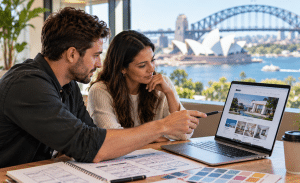
For Australian businesses researching web design and wordpress, the goal should be bigger than building a website that simply looks attractive. A strong website needs to explain your business clearly, work smoothly across devices, support search visibility, load efficiently, generate meaningful actions and remain manageable after launch.
WordPress can provide the content management foundation, while good web design shapes how people see, understand and use the website. However, these two disciplines work best when they are planned together.
A recurring pattern in WordPress project reviews is that problems often start when visual design decisions are made before content, user journeys, performance requirements and technical needs are understood. A beautiful design can still become slow, confusing or difficult to maintain if the underlying structure is weak.
This guide explains how web design and WordPress fit together, what Australian organisations should consider when planning a website, which technical decisions matter, and how to evaluate a design and development approach without getting lost in jargon.
What Is Web Design and WordPress?
Web design and wordpress refers to the combined process of planning a website’s layout, user experience, visual identity and content while using WordPress as the system that manages and publishes it. Together, they can support responsive pages, editable content, SEO foundations, business integrations, accessibility and ongoing website management.

Table of Contents
- What web design and WordPress mean together
- Why they matter for Australian businesses
- Web design versus WordPress development
- Choosing the right WordPress design approach
- The website planning and build process
- Responsive design and mobile experience
- Performance and Core Web Vitals
- SEO foundations for WordPress
- Content, navigation and conversion design
- Accessibility for Australian audiences
- Security, hosting and maintenance
- Onshore versus offshore WordPress delivery
- What affects WordPress website costs?
- Common web design and WordPress mistakes
- How to evaluate a WordPress provider
- People Also Ask
- Expert Q&A
- Conclusion
What Web Design and WordPress Mean Together
Web design describes much more than colours, fonts and images.
A professional website design process normally considers:
- information architecture;
- navigation;
- page hierarchy;
- content structure;
- responsive behaviour;
- calls to action;
- forms;
- accessibility;
- branding;
- readability;
- user journeys; and
- interactions.
WordPress, meanwhile, is the content management system, or CMS, behind the website.
It stores and manages content such as pages, blog posts, images, menus and user accounts. Depending on the build, WordPress can also support ecommerce, bookings, memberships, integrations, custom content types and other business functions.
Therefore, web design and wordpress should not be treated as two unrelated jobs.
The designer needs to understand how the finished layouts will behave inside WordPress. Likewise, developers need to understand why particular design decisions exist rather than simply reproducing a static mock-up.
For example, imagine a designer creates a beautiful service page containing six different card layouts.
If the business expects to publish 100 similar service pages later, creating every card manually could make content management unnecessarily difficult. A better approach may be to develop reusable blocks or templates so staff can create consistent pages without rebuilding the layout each time.
That is where design decisions begin affecting long-term website management.
Why Web Design and WordPress Matter for Australian Businesses
Australian organisations use websites for many different purposes.
A local trades business may want phone enquiries. A professional-services firm may want qualified leads. A retailer may require WooCommerce. Meanwhile, a national organisation may need hundreds of pages, multiple integrations and several staff members managing content.
As a result, a WordPress website should be designed around its purpose.
Common goals include:
- generating enquiries;
- making telephone calls easier;
- accepting bookings;
- selling products;
- explaining complex services;
- supporting paid advertising;
- improving organic search visibility;
- publishing educational content;
- recruiting employees;
- displaying project portfolios; and
- integrating with CRM or business systems.
For an Australian audience, local context also matters.
Pages may need prices in AUD, Australian spelling, relevant service areas, Australian telephone formats and clear information about where the organisation operates.
However, localisation should never become artificial keyword stuffing.
For example, repeating “Australia” in every paragraph will not automatically make a page useful for Australian users. Instead, demonstrate relevance through useful details about the market, service areas, business processes and customer needs.
Good web design and wordpress work therefore starts by answering a simple question:
What should the visitor be able to understand or accomplish on this page?
Everything else should support that objective.
Web Design vs WordPress Development
Web design and WordPress development overlap, but they are not identical.
| Area | Web Design | WordPress Development |
| Main focus | User experience and presentation | Technical implementation |
| Typical work | Layout, typography, hierarchy, navigation | Themes, plugins, templates, code |
| Key concern | Can users understand and use the page? | Does the website function correctly? |
| Mobile work | Responsive layout planning | Responsive implementation and testing |
| Content | Structure and presentation | CMS fields, blocks and templates |
| Performance | Design choices affecting speed | Technical optimisation |
| SEO | Content hierarchy and UX | Metadata, schema, crawling and technical setup |
| Maintenance | Consistency and usability | Updates, backups, fixes and security |
A strong project connects both sides.
For example, a designer might choose a full-screen video banner.
Visually, it may look impressive. Technically, however, the video could add considerable page weight and make the first screen slower on some mobile connections.
The answer is not automatically to remove every video.
Instead, the design and development team should decide whether the feature provides enough value to justify its cost and whether it can be implemented efficiently.
That balance is central to successful WordPress design.
Choosing the Right Web Design and WordPress Approach
There is no single correct way to build a WordPress website.
Three common approaches are pre-built themes, page builders and custom development.
Pre-built WordPress themes
A pre-built theme can be suitable when:
- the budget is limited;
- the project is relatively simple;
- the required layout closely matches the theme;
- launch speed matters; and
- extensive custom functionality is unnecessary.
However, avoid choosing a theme simply because its demo looks attractive.
Check what happens when your actual content replaces the demonstration text and images.
Also review how much unused functionality the theme includes.
Page builders
Tools such as block editors and visual page builders can make editing easier for non-developers.
They may be useful when marketing teams need to update content regularly.
However, unrestricted page-builder access can also create inconsistent layouts over time.
A sensible system therefore gives editors flexibility within defined design rules.
Custom WordPress development
Custom development becomes more useful when a website needs:
- unique layouts;
- complex reusable components;
- advanced content relationships;
- custom integrations;
- specialised WooCommerce behaviour;
- custom workflows; or
- greater control over performance.
Normally requires more planning and technical capability.
Therefore, the right question is not, “Is custom always better?”
The better question is, “Which approach matches the organisation’s real requirements?”
Web Design and WordPress Project Checklist: From Brief to Launch
A structured process reduces unnecessary redesign and development work.
The following checklist provides a practical starting point.
1. Define the business objective
Identify what the website needs to achieve.
For example:
- enquiries;
- ecommerce sales;
- bookings;
- lead generation;
- information delivery; or
- customer support.
2. Identify the audience
Define who uses the website and what they need.
Do not rely only on demographics.
Consider their questions, concerns, devices and level of familiarity with your service.
3. Audit the existing website
If you already have a website, review:
- high-performing pages;
- traffic sources;
- search queries;
- broken links;
- outdated content;
- conversion points;
- technical issues; and
- pages that should be migrated.
4. Build the information architecture
Decide how content should be organised.
A straightforward service website may use:
Home → Services → Individual Service → Contact
A larger website may require categories, locations, resources and supporting content.
5. Prepare content early
Do not wait until development is almost finished.
Real headings, service descriptions and calls to action help designers build layouts that match the content.
6. Create wireframes
Wireframes show page structure without concentrating too heavily on colours and decorative elements.
They help teams confirm:
- information order;
- navigation;
- CTAs;
- forms;
- content sections; and
- mobile hierarchy.
7. Develop the visual design
Once structure is approved, apply branding, typography, spacing, colours and imagery.
8. Build in WordPress
Develop or configure the required:
- templates;
- blocks;
- menus;
- forms;
- integrations;
- plugins; and
- administrative fields.
9. Test thoroughly
Check the website across devices and browsers.
Test:
- navigation;
- buttons;
- forms;
- validation;
- responsive layouts;
- keyboard navigation;
- images;
- links;
- search functionality;
- analytics;
- redirects; and
- integrations.
10. Review performance and SEO
Before launch, review page titles, descriptions, indexing controls, redirects, image sizes, mobile performance and other technical foundations.
11. Launch carefully
Use a launch checklist rather than simply changing DNS and hoping everything works.
12. Monitor after launch
Check analytics, search performance, forms, errors and site health after deployment.
A website is an operating business asset, not a file that is finished forever.
Responsive Web Design and WordPress
Responsive design means a website adapts appropriately to different screen sizes.
That includes desktop computers, laptops, tablets and smartphones.
However, responsiveness is not simply about shrinking everything until it fits.
Mobile users may need a different hierarchy.
For example, a desktop homepage might show a large navigation menu, multiple service cards and several supporting sections at once.
On mobile, that same design may need:
- simplified navigation;
- larger tap targets;
- shorter content blocks;
- correctly scaled images;
- readable typography; and
- prominent phone or enquiry actions.
Therefore, mobile design should be considered from the beginning.
It should not be treated as a final development task.
With web design and wordpress, designers should also consider how variable content behaves. A heading containing five words may look perfect in a mock-up, while a real WordPress editor may later enter a 15-word heading.
Flexible design systems account for these realistic content changes.
Website Performance and Core Web Vitals
Performance is both a design issue and a development issue.
A website can become slow because of:
- oversized images;
- autoplay video;
- unnecessary JavaScript;
- excessive fonts;
- poorly configured plugins;
- third-party scripts;
- complex animations;
- weak hosting;
- database problems; or
- inefficient code.
Google recommends looking at overall page experience rather than focusing on only one metric. Its guidance also states that Core Web Vitals are used by ranking systems, while good scores do not guarantee a top search position.
You can review the official Google Search page-experience guidance for the current explanation.
This distinction matters.
Performance optimisation should primarily make the website better for users rather than become an exercise in chasing a perfect score.
Core Web Vitals in plain language
The main metrics help measure different parts of the experience:
Largest Contentful Paint (LCP) considers how quickly important visible content loads.
Interaction to Next Paint (INP) measures how responsive the page feels when a user interacts with it.
Cumulative Layout Shift (CLS) considers unexpected visual movement.
For example, imagine a customer tries to press “Request a Quote”, but an image suddenly loads above the button and pushes it down.
That creates an unpleasant experience even when the page looks attractive after everything has loaded.
Therefore, web design and wordpress performance decisions should begin during design, not after launch.
WordPress Hosting and Technical Foundations
A website also depends on its hosting environment.
As of September 2026, WordPress recommends hosting with PHP 8.3 or greater, MariaDB 10.11 or greater or MySQL 8.0 or greater, together with HTTPS support. WordPress also notes that older legacy software may be end-of-life and create security concerns.
The current requirements are available through the official WordPress technical requirements.
Before choosing hosting, clarify responsibility for:
- backups;
- PHP updates;
- SSL/TLS certificates;
- caching;
- database management;
- staging environments;
- DNS;
- malware monitoring; and
- uptime monitoring.
These tasks may sound technical, but unclear ownership can create operational problems later.
SEO Foundations for Web Design and WordPress
SEO should not begin after the website has been designed.
The architecture itself affects search visibility.
Consider a business offering five major services across several locations.
If the navigation and URL structure are poorly planned, adding search-targeted pages later may create duplication or confusion.
Therefore, plan the content structure early.
Important SEO foundations include:
- descriptive page titles;
- logical headings;
- clean URLs;
- useful internal linking;
- crawlable navigation;
- XML sitemaps;
- canonical URLs;
- appropriate redirects;
- image alternative text;
- structured data where relevant;
- helpful original content;
- mobile usability; and
- good performance.
However, plugins alone do not “do SEO”.
A plugin can make it easier to edit metadata, generate sitemaps or configure schema. It cannot make an unhelpful page useful.
The content still needs to satisfy the searcher’s intent.
For example, someone searching “WordPress website design Australia” may want to understand services, costs, processes, examples and what to look for in a provider.
A page containing only 150 words and a contact form may leave those questions unanswered.
Therefore, successful web design and wordpress SEO combines technical foundations with genuinely useful content.
Content Design and Conversion
Good website design makes information easier to understand.
That usually means establishing a clear visual hierarchy.
Visitors should quickly identify:
- what the organisation offers;
- who it serves;
- why the service may be relevant;
- supporting evidence; and
- what action they can take next.
Do not make every element equally prominent.
If every heading is oversized, every button is brightly styled and every section contains animation, the page has no visual priority.
Instead, guide attention deliberately.
Calls to action
A call to action should match the visitor’s likely readiness.
Examples include:
- Request a consultation
- Get a quote
- Book an appointment
- View services
- Download the guide
- Call the team
However, avoid forcing a sales action at every opportunity.
Someone reading an educational article may be several steps away from contacting a provider.
Supporting links and informative content can therefore be more appropriate.
Accessibility in Web Design and WordPress
Accessibility improves a website’s ability to work for people with different needs, abilities, devices and situations.
The Australian Government Style Manual recommends designing content for equal access and describes accessibility and inclusion as core principles for government digital content. It also points government agencies towards WCAG success criteria.
Although those government requirements should not automatically be presented as legal requirements for every private Australian website, the principles provide a useful design benchmark.
The official Australian Government accessibility guidance explains the broader approach.
Practical considerations include:
- sufficient text contrast;
- descriptive link text;
- useful image alternatives;
- logical headings;
- keyboard-accessible navigation;
- visible focus indicators;
- correctly labelled form fields;
- clear validation messages;
- captions or alternatives for important media; and
- readable content.
The Australian Government Style Manual also recommends short sentences and simple structures because they make content easier to use.
That principle benefits commercial websites as well.
Clear content usually helps everyone.
WordPress Security and Maintenance
Launching a WordPress website does not remove the need for technical management.
WordPress core, plugins and themes continue to evolve.
Therefore, establish a maintenance process covering:
- software updates;
- backups;
- security monitoring;
- form testing;
- broken-link checks;
- performance monitoring;
- user-account reviews;
- plugin reviews; and
- PHP and hosting updates.
Backups are particularly important.
However, a backup should not simply exist.
Someone should know:
- where it is stored;
- how often it runs;
- how long copies are retained; and
- how restoration works.
The same applies to WordPress administrator accounts.
Give users only the level of access they require and remove accounts that are no longer needed.
If your website collects personal information through forms, also make sure the relevant person within the organisation reviews privacy notices, data handling and consent requirements.
That is an administrative consideration rather than legal advice. Where legal interpretation is required, obtain advice from an appropriately qualified professional.
Onshore vs Offshore vs Hybrid WordPress Delivery
Australian businesses may choose local, offshore or mixed delivery teams.
None of these models is automatically suitable for every organisation.
| Factor | Australian / Onshore | Offshore | Hybrid |
| Time-zone overlap | Usually high | Varies | Usually moderate to high |
| Local market context | Often strong | Depends on team | Can combine both |
| Communication | Direct collaboration may be easier | Requires clear process | Requires coordinated ownership |
| Cost structure | Often higher | Can be lower | Varies |
| Specialist capacity | Depends on agency | Can provide broad talent pools | Can access both |
| Project management | Often centralised | Needs clear documentation | Strong coordination is important |
| Scalability | Depends on provider | Can be high | Often flexible |
Instead of choosing purely on location, investigate process.
Ask:
- Who manages the project?
- Who designs the website?
- Who writes the code?
- Who performs QA?
- Where is technical documentation kept?
- How are urgent issues handled?
- Who maintains the website after launch?
- What happens if a team member leaves?
Clear ownership is usually more important than assumptions based on geography.
What Affects Web Design and WordPress Costs?
It is difficult to give a universal WordPress website price because project complexity varies substantially.
A five-page brochure website and a national ecommerce platform are both “WordPress websites”, but their workloads are completely different.
Cost may be influenced by:
- number of templates;
- amount of content;
- custom design requirements;
- ecommerce;
- third-party integrations;
- CRM connections;
- booking systems;
- custom plugins;
- migrations;
- accessibility requirements;
- copywriting;
- SEO;
- photography or video;
- testing;
- training;
- hosting; and
- ongoing maintenance.
Therefore, compare scopes rather than headline prices.
A lower quotation may exclude content migration, QA, SEO configuration, training or post-launch support.
Conversely, a larger quotation may include work your project does not actually need.
A useful proposal should explain assumptions and deliverables clearly.
Common Web Design and WordPress Mistakes
1. Designing before understanding the content
Placeholder text can hide real layout problems.
Use representative content early.
2. Installing too many plugins
More plugins do not automatically mean a better site.
Each plugin should solve a genuine requirement.
3. Ignoring mobile until the end
Mobile behaviour should influence initial design decisions.
4. Building everything as one-off pages
Reusable templates and components improve consistency.
5. Choosing visual effects over usability
Animations should support the experience rather than distract from it.
6. Treating SEO as a plugin
SEO requires content, architecture, technical implementation and ongoing work.
7. Forgetting website ownership
Clarify who owns domains, hosting accounts, licences, source files and administrative credentials.
8. Launching without QA
A polished homepage does not mean every form, link, template and mobile layout works.
9. Ignoring maintenance
An unattended WordPress website can develop compatibility, security and performance problems.
10. Making editing unnecessarily difficult
A marketing website should usually allow authorised staff to update common content without requiring a developer for every small change.
How to Evaluate a Web Design and WordPress Provider
When comparing providers, look beyond portfolios.
Beautiful screenshots do not show performance, accessibility, editing experience or maintainability.
Ask practical questions.
Ask about the design process
How do they research users?
How are wireframes approved?
When is real content introduced?
Ask about WordPress architecture
Will the site use:
- Gutenberg;
- a page builder;
- a custom theme;
- custom blocks; or
- a combination?
Ask why that approach is suitable.
Ask about performance
How will image optimisation, fonts, scripts and third-party tools be handled?
Ask about QA
Which browsers and devices are tested?
Are forms, validation, redirects, analytics and responsive layouts checked?
Ask about SEO
Who is responsible for:
- metadata;
- redirects;
- indexing;
- sitemap configuration;
- structured data; and
- content migration?
Ask about handover
Will your team receive training?
Will you have administrator access?
Is technical documentation included?
Ask about ongoing maintenance
Determine whether support is:
- included;
- available under a monthly plan;
- charged hourly; or
- transferred to your internal team.
These questions make web design and wordpress proposals easier to compare on substance rather than presentation.
People Also Ask About Web Design and WordPress
Is WordPress good for web design?
Yes, WordPress can support anything from relatively simple service websites to complex content and ecommerce platforms. However, the quality of the finished website depends on its design, development, hosting, plugins and ongoing maintenance rather than WordPress alone.
Do I need a web designer if I use WordPress?
Not always, especially for a very basic website built from an existing theme. However, businesses needing a distinct brand experience, stronger UX, complex page structures or custom functionality can benefit from professional design before development begins.
Is WordPress suitable for Australian businesses?
WordPress can suit many Australian organisations because it supports editable content, responsive layouts, ecommerce, integrations and search optimisation. The appropriate setup depends on the organisation’s size, requirements, internal skills and maintenance capability.
Does WordPress help with Google rankings?
WordPress provides useful SEO foundations, but using WordPress does not guarantee rankings. Search visibility also depends on helpful content, site structure, technical SEO, page experience, authority, competition and how well pages satisfy search intent.
Expert Q&A: Web Design and WordPress
1. Should a WordPress redesign keep the existing URLs?
Where an existing URL already has useful search visibility, backlinks or traffic, keeping it may reduce unnecessary migration risk. If a URL must change, plan an appropriate redirect and update relevant internal links rather than deleting the old page without a migration strategy.
2. Should businesses use Gutenberg or a page builder?
The answer depends on editing requirements, existing infrastructure, design complexity and the team’s skills. Gutenberg and custom blocks can provide a controlled WordPress editing system, while page builders can provide substantial visual flexibility; either approach can become problematic if poorly implemented.
3. How many WordPress plugins are too many?
There is no universal number. Ten poorly maintained plugins can create more problems than 30 carefully selected ones, so evaluate code quality, necessity, maintenance history, overlap and performance rather than relying on a fixed plugin limit.
4. When should a business choose custom WordPress development?
Custom development becomes particularly useful when standard themes or plugins cannot efficiently support the required workflow, integrations, content structure or design system. However, custom code also needs documentation, testing and ongoing maintenance, so it should solve a clear requirement.
5. What should happen after a new WordPress site launches?
Monitor forms, analytics, Search Console, error logs and user behaviour. In addition, maintain backups and software updates, review performance periodically, refresh important content and continue improving pages based on actual user and business data.
Conclusion: Building Better Web Design and WordPress Experiences
Effective web design and wordpress work combines strategy, content, user experience and technology.
WordPress provides a flexible publishing foundation, but the CMS alone does not determine whether a website succeeds.
The strongest projects begin by defining user needs and business goals. They then develop a clear content structure, responsive design system and maintainable WordPress architecture.
Performance should be considered before heavy visual elements are added. SEO should influence information architecture rather than being left until launch. Accessibility should be incorporated into design and content decisions. Likewise, maintenance responsibilities should be established before the new site goes live.
For Australian businesses, the practical goal is therefore not simply to “get a WordPress website”.
It is to create a digital platform that visitors can understand, use and trust while giving the organisation a manageable technical foundation for future growth.
If your organisation is planning a redesign, new website or broader WordPress project, explore RevGenX web and WordPress solutions to start defining the requirements, technical approach and next steps.