

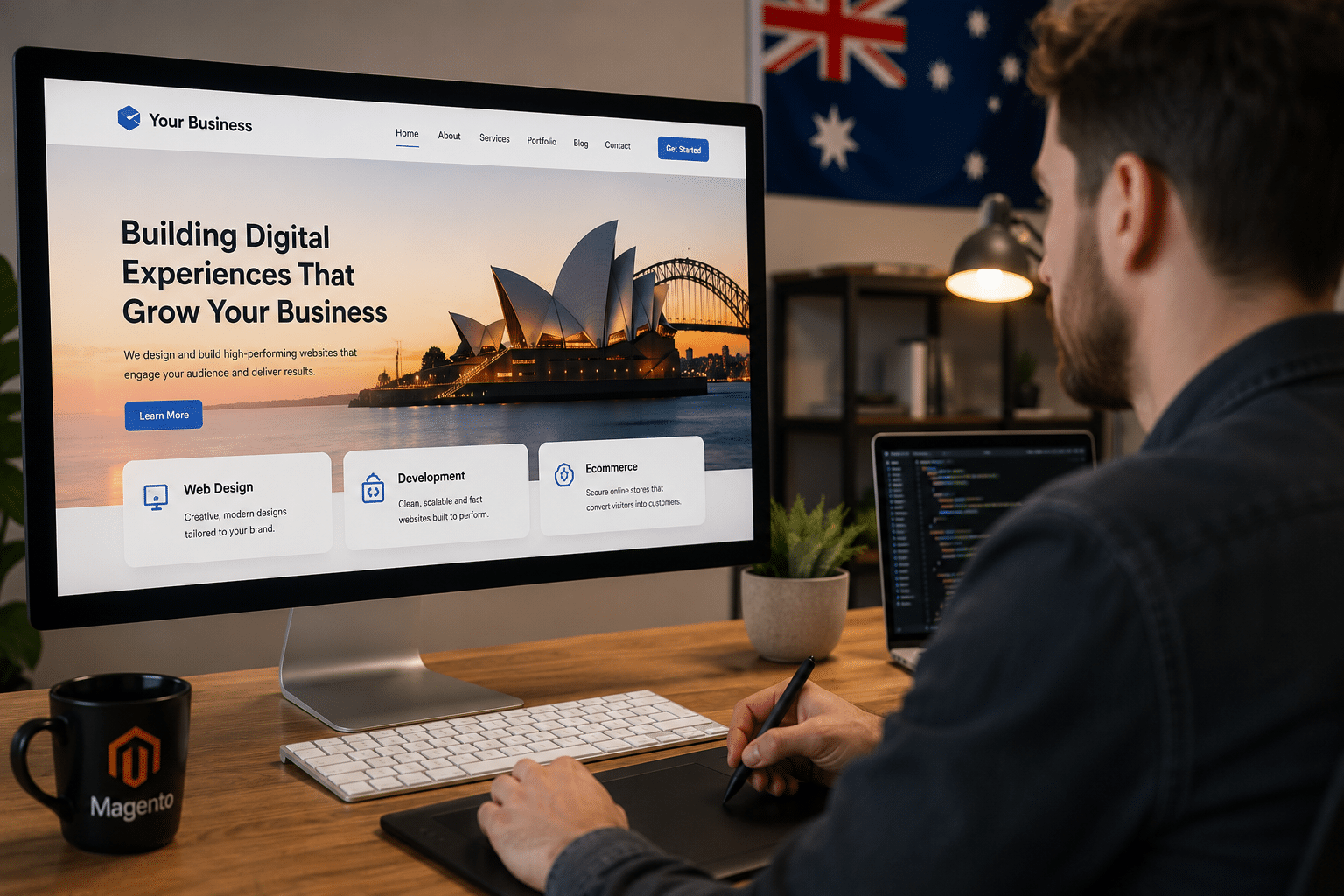
Introduction
If you are researching web design and development in Australia, you are likely comparing agencies, platforms, prices, timelines and the real business value of a better website. From my experience working with service businesses, ecommerce brands and growth-focused teams, the best websites are not just attractive. They are planned around search intent, user trust, speed, accessibility, content quality and measurable conversions.
Australia is a mature digital market. Customers compare providers quickly, check reviews, expect mobile-friendly pages and often decide whether to contact a business within seconds. Therefore, your website needs to answer real questions, load fast, look credible and make the next step obvious.
What Is Web Design and Development?
Web design and development is the process of planning, designing, building, testing and improving a website so it looks professional, works smoothly, ranks in search, supports users on all devices and helps a business achieve goals such as enquiries, bookings, sales or brand trust.
Table of Contents
- What Web Design and Development Includes
- Why Australian Businesses Need a Strong Website
- Web Design vs Web Development
- The Web Design and Development Process
- Onshore vs Offshore Website Teams
- Key Website Features Australian Users Expect
- SEO, Content and Conversion Planning
- Accessibility, Privacy and Consumer Trust Tasks
- Cost Factors and Timeline Expectations
- Website Launch Checklist
- People Also Ask
- Expert Q&A
- Conclusion
1. What Web Design and Development Includes
Web design and development combines strategy, creative design, technical build and ongoing improvement. In simple terms, design decides how the website looks and feels, while development makes it work.
However, a high-performing website also needs planning. Before colours, layouts or code, a good team should understand your audience, offer, competitors and search opportunities. This matters because a beautiful website can still fail if users cannot find the right information or take action easily.
A complete web design and development project often includes:
- Website strategy and discovery
- Search intent and keyword planning
- Sitemap and page structure
- Wireframes and user journey planning
- Visual design and brand application
- Copywriting or content improvement
- Front-end development
- Back-end development
- CMS setup, such as WordPress or another platform
- Ecommerce setup where needed
- Speed, security and mobile testing
- SEO foundations
- Analytics and conversion tracking
- Launch support and maintenance
For Australian businesses, the website also needs to suit local expectations. That includes clear service areas, Australian English, transparent pricing signals where possible, local proof, accessible contact options and trust-building content.
According to DataReportal’s Digital 2025 Australia report, Australians are highly connected online, which means your website is often part of the first serious interaction a buyer has with your brand.
2. Why Australian Businesses Need a Strong Website
A strong website helps Australian businesses compete beyond referrals. It supports Google visibility, gives prospects confidence and reduces friction before a call, booking or purchase.
Many business owners think of a website as a digital brochure. However, that view is too narrow. A modern website should act as a sales support system. It should explain your services, qualify leads, answer objections, show proof and guide visitors towards the next step.
For example, a plumbing business in Sydney may need emergency call buttons, suburb pages and fast mobile performance. Meanwhile, a B2B consultancy in Melbourne may need case studies, service pages, team credibility and lead forms. An ecommerce store in Brisbane may need product filters, payment options, delivery information and abandoned cart planning.
From my experience, websites perform better when every important page has a clear job. A homepage builds confidence. A service page explains value. A blog article captures research-stage visitors. A landing page supports campaigns. A contact page removes hesitation.
Therefore, web design and development should be tied to business outcomes, not just appearance.
3. Web Design vs Web Development
Web design and web development are closely related, but they are not the same thing.
| Area | Web Design | Web Development |
| Main focus | User experience and visual presentation | Technical build and functionality |
| Typical work | Layouts, colours, typography, wireframes, interface design | Coding, CMS setup, integrations, forms, databases |
| Business value | Makes the website clear, trusted and easy to use | Makes the website fast, secure, editable and scalable |
| Main tools | Figma, brand guidelines, UX research, content structure | HTML, CSS, JavaScript, PHP, APIs, CMS platforms |
| Best outcome | Users understand and trust the business | Users can interact with the site without errors |
Good web design makes choices easy. Good development makes those choices work reliably.
For example, a designer may create a clear enquiry form layout. Then a developer builds the form, validates the fields, connects it to email or CRM and tests it across devices. As a result, both roles affect conversion.
4. The Web Design and Development Process
A professional web design and development process should be structured. Without a clear process, projects often suffer from delays, unclear feedback, missing content and poor launch quality.
Step 1: Discovery and Goals
The first stage is understanding the business. This includes your services, target customers, competitors, current website issues and commercial goals.
Important questions include:
- Who is the website for?
- What action should users take?
- Which services or products matter most?
- What objections stop users from enquiring?
- Which locations or industries should the site target?
- What makes the business credible?
This stage shapes everything that follows.
Step 2: Sitemap and Content Planning
Next, the team plans the website structure. A sitemap shows the main pages and how they connect.
For SEO, this is critical. Google needs clear topical structure. Users also need simple navigation. Therefore, your service pages, location pages, blog content and conversion pages should be mapped before design starts.
For example, an Australian web design business may need pages for web design, web development, ecommerce, WordPress, Shopify, SEO and website maintenance. Each page should answer a different search intent.
Step 3: Wireframes
Wireframes are simple layouts that show page structure before visual design. They help teams agree on content order, calls to action and user flow.
This step prevents costly redesign later. It also keeps the focus on clarity rather than decoration.
Step 4: Visual Design
Visual design applies your brand. It includes colour, typography, spacing, buttons, imagery and interface style.
However, design should support usability. For example, a luxury brand may use generous spacing and refined typography. A trade business may need stronger contrast, clear phone numbers and direct service information.
The best design choices are intentional. They help users understand, trust and act.
Step 5: Development
Development turns approved designs into a working website. This can include front-end code, CMS configuration, plugins, integrations, ecommerce functions and custom features.
A strong development stage should consider:
- Mobile responsiveness
- Page speed
- Clean code
- Security basics
- CMS usability
- Form testing
- Browser compatibility
- SEO-friendly structure
- Schema where appropriate
- Analytics setup
Good development also makes future updates easier. This matters because your website should keep improving after launch.
Step 6: Testing and Launch
Testing checks whether the site works correctly before it goes live. This includes forms, buttons, mobile layouts, links, checkout steps, redirects, tracking and page speed.
After launch, the team should monitor the website for errors. Search engines may also need time to crawl new pages. Therefore, launch is not the end. It is the start of improvement.
5. Onshore vs Offshore Website Teams
Australian businesses often compare local agencies with offshore providers. Both can work well, depending on the project and management style.
| Option | Advantages | Challenges | Best suited for |
| Onshore Australian team | Local market understanding, easier communication, aligned time zones | Usually higher cost | Strategy-heavy projects, local SEO, complex business websites |
| Offshore team | Lower hourly rates, larger production capacity | More management needed, possible context gaps | Clearly scoped technical tasks or budget-sensitive builds |
| Hybrid team | Balance of local strategy and efficient delivery | Requires strong project management | Growing businesses that need quality and value |
From my experience, the biggest issue is not location. It is clarity. A well-managed offshore team can deliver strong work. However, a poorly briefed local team can still miss the mark.
For Australian SEO and conversion, local context helps. This includes suburb targeting, Australian spelling, service expectations, trust signals and compliance awareness.
6. Key Website Features Australian Users Expect

Australian users expect websites to be fast, clear and trustworthy. They may not describe these needs in technical terms, but they notice when something feels confusing or unsafe.
Important features include:
Mobile-Friendly Design
Most users will visit from a mobile device at some stage. Therefore, buttons should be easy to tap, forms should be short and content should be readable without zooming.
Clear Contact Options
Make phone numbers, enquiry forms, email addresses and booking options easy to find. For service businesses, prominent contact options can improve lead quality.
Trust Signals
Trust signals may include reviews, case studies, industry memberships, client logos, guarantees, team profiles and clear policies. However, these claims must be accurate.
The ACCC’s guidance on online reviews makes it clear that businesses should not mislead consumers with fake or manipulated reviews. For website owners, this means testimonials and review snippets should be genuine, current and presented honestly.
Clear Service Information
Users want to know what you do, who you help, where you work and what happens next. Therefore, avoid vague service pages. Explain outcomes, process, inclusions and limitations.
Fast Page Loading
Speed affects user experience. Slow websites can frustrate visitors, especially on mobile networks. While performance targets vary, aiming for lean images, clean code and reliable hosting is a practical starting point.
Secure Browsing
A website should use HTTPS and follow basic security practices. For ecommerce, account portals or lead forms, security becomes even more important.
7. SEO, Content and Conversion Planning
Web design and development should include SEO from the start. If SEO is added after launch, the website may need rework.
Search Intent Comes First
Search intent means the reason behind a search. Someone searching “web design and development” may want definitions, services, costs, process or provider comparisons. Therefore, your page should answer these needs clearly.
For service pages, include:
- Who the service is for
- What is included
- Your process
- Benefits and limitations
- Examples or use cases
- FAQs
- Clear calls to action
Content Should Match the Buyer Journey
Not every visitor is ready to buy. Some are researching. Others are comparing. Some are ready to request a quote.
A useful content structure may include:
- Educational blog posts for early-stage research
- Service pages for solution-aware visitors
- Case studies for comparison-stage prospects
- Landing pages for campaign traffic
- Contact pages for ready-to-act users
This structure helps both users and search engines.
Conversion Design Matters
Conversion design helps users take action. However, it should not rely on pressure tactics. Instead, it should reduce uncertainty.
Good conversion elements include:
- Clear calls to action
- Short forms
- Helpful microcopy
- Visible contact details
- Relevant proof near decision points
- Simple navigation
- Strong page headings
- Fast-loading pages
For example, a button that says “Request a Website Consultation” is clearer than “Submit”. It tells users what happens next.
8. Accessibility, Privacy and Consumer Trust Tasks
Accessibility, privacy and consumer trust are important parts of web design and development in Australia. These areas should be treated as administrative and operational responsibilities, not as a substitute for legal advice.
Accessibility
Accessibility means making your website easier to use for people with different abilities, devices and contexts. The W3C Web Content Accessibility Guidelines 2.2 explain how to make web content more accessible for users with disabilities.
Practical accessibility tasks include:
- Strong colour contrast
- Keyboard-friendly navigation
- Alt text for meaningful images
- Clear form labels
- Descriptive link text
- Logical heading structure
- Captions or transcripts where relevant
- Error messages that explain how to fix a form issue
Accessibility also improves general usability. For example, better contrast helps users outdoors on mobile devices. Clear labels help everyone complete forms faster.
Privacy
Australian businesses that collect personal information should understand their privacy obligations. Some businesses are covered by the Privacy Act, while others may still follow privacy best practices to build trust.
Practical website tasks may include:
- Clear privacy policy
- Secure form handling
- Only collecting necessary information
- Cookie and tracking transparency
- Safe storage of enquiry data
- Review of third-party tools
For specific legal obligations, businesses should seek advice from a qualified professional.
Consumer Trust
Australian Consumer Law applies across Australia. For website content, this means claims should be accurate and not misleading.
Practical trust tasks include:
- Avoiding fake scarcity claims
- Avoiding misleading “was/now” pricing
- Using genuine testimonials
- Making refund, delivery or service terms clear
- Explaining limitations honestly
- Keeping business details accurate
This is not about making your website less persuasive. Instead, it is about making persuasion credible.
9. Cost Factors and Timeline Expectations
Web design and development costs in Australia vary widely. The final price depends on scope, complexity, content, integrations and the level of custom work.
Common cost factors include:
- Number of pages
- Custom design needs
- Copywriting requirements
- CMS or ecommerce platform
- Booking or payment functionality
- CRM or marketing integrations
- SEO research
- Photography or video
- Accessibility work
- Migration from an old website
- Ongoing maintenance
As a broad estimate, a simple small business website may take several weeks, while a custom ecommerce or complex lead generation website may take several months. This is an estimate only. Timelines depend on content readiness, feedback speed and technical complexity.
The cheapest quote is not always the best value. If a website is hard to edit, slow, poorly structured or weak for SEO, it can cost more later.
10. Website Launch Checklist
Use this numbered checklist before launching a new website.
- Confirm business goals
Check that the website supports enquiries, bookings, sales, recruitment or another clear goal. - Review the sitemap
Make sure every important service, product or location has a logical page. - Check mobile layouts
Test key pages on different screen sizes. - Test forms and calls to action
Submit test enquiries and confirm notifications arrive. - Review all copy
Check spelling, Australian English, claims, service details and calls to action. - Compress images
Large images can slow down pages, so optimise them before launch. - Set page titles and meta descriptions
Each important page should have a unique title and description. - Check internal links
Make sure navigation, buttons and text links go to the right pages. - Set redirects
If replacing an old website, redirect important old URLs to relevant new pages. - Install analytics and tracking
Set up tools to measure traffic, conversions and user behaviour. - Review accessibility basics
Check headings, contrast, labels, alt text and keyboard navigation. - Check privacy and policy pages
Confirm that privacy, terms, delivery or refund information is current where relevant. - Run security checks
Use HTTPS, strong passwords, backups and updates. - Submit the sitemap
Submit the XML sitemap through Google Search Console. - Monitor after launch
Watch for broken links, form issues, crawl errors and speed problems.
11. People Also Ask
What is included in web design and development?
Web design and development usually includes planning, UX design, visual design, content structure, coding, CMS setup, testing and launch support. For business websites, it should also include SEO foundations, mobile responsiveness and conversion planning.
How much does web design and development cost in Australia?
Costs vary based on scope, platform, design complexity, content and integrations. A small brochure website usually costs less than a custom ecommerce or lead generation website, but businesses should compare value, not just price.
How long does it take to build a website?
A simple website may take several weeks, while a larger custom website can take several months. The timeline depends on planning, content readiness, feedback speed, technical features and testing.
Is SEO part of web design and development?
SEO should be part of the process from the start. Site structure, headings, page speed, internal links and content planning all affect how well a website can perform in search.
Do Australian businesses need a mobile-friendly website?
Yes. Australian users often research, compare and contact businesses from mobile devices. A mobile-friendly website improves usability, trust and conversion opportunities.
12. Expert Q&A
1. What should I prepare before hiring a web design and development team?
Prepare your goals, target audience, current website issues, competitor examples, preferred style, service list and available content. Also gather brand assets such as logos, colours, images and testimonials. This helps the team estimate accurately and avoid delays.
2. Should I choose WordPress, Shopify, Webflow or a custom build?
The right platform depends on your goals. WordPress suits flexible business websites and content marketing. Shopify suits ecommerce. Webflow can suit design-led marketing sites. Custom development may suit complex portals, integrations or unique workflows.
3. Why do some websites look good but fail to generate leads?
They often lack clear messaging, strong calls to action, trust proof, SEO planning or user-focused structure. Good design attracts attention, but conversion depends on clarity, relevance and confidence.
4. How often should a business update its website?
Most businesses should review key pages every few months and complete a deeper website audit at least once a year. Update services, pricing signals, case studies, testimonials, staff details and outdated blog content when needed.
5. What makes web design and development successful after launch?
Success depends on ongoing improvement. Track enquiries, rankings, page speed, user behaviour and conversion rates. Then improve content, calls to action, technical performance and page structure based on real data.
Conclusion
Web design and development is more than building a good-looking website. For Australian businesses, it is a practical growth asset that supports search visibility, trust, usability and conversions. The strongest websites combine clear strategy, helpful content, clean development, accessible design and honest proof.
Before choosing a provider, look for a team that understands your audience, your goals and the Australian market. Ask about process, SEO, performance, accessibility, content and post-launch support. As a result, you will be more likely to invest in a website that works beyond launch day.
For a practical, growth-focused approach to planning and improving your website, explore RevGenX’s web strategy and digital growth support.








