


Table of Contents
- Introduction
- What Does It Mean to Develop Website With WordPress?
- Why Australian Businesses Choose WordPress
- Key Steps to Develop Website With WordPress
- Choosing the Right Hosting in Australia
- WordPress Themes vs Custom Development
- Essential Plugins for Australian Websites
- SEO Best Practices for WordPress
- Website Security and Compliance Considerations
- WordPress Development Costs in Australia
- Comparison Table: DIY vs Professional WordPress Development
- Checklist for Launching a WordPress Website
- Common Mistakes Australians Make With WordPress
- People Also Ask
- Expert Q&A Section
- Conclusion
Introduction
Businesses across Australia continue to invest in digital growth, and many owners now search online to develop website with WordPress because it offers flexibility, scalability, and strong SEO potential. From small cafés in Melbourne to service providers in Sydney and eCommerce stores in Brisbane, WordPress powers websites that are affordable to manage and easy to expand over time.
From my experience working with Australian businesses, WordPress remains one of the most practical website platforms because it balances usability with advanced functionality. Whether you need a portfolio website, online booking system, or full online store, WordPress can support nearly every business model when built correctly.
According to W3Techs, WordPress powers more than 40% of all websites globally, making it the world’s most widely used content management system. Meanwhile, the Australian Government’s business.gov.au encourages businesses to establish a strong online presence to remain competitive in modern markets.
What Does It Mean to Develop Website With WordPress?
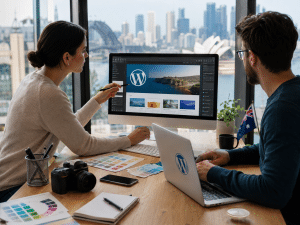
To develop website with WordPress means creating and managing a website using the WordPress content management system. It involves selecting hosting, installing WordPress, designing pages, configuring plugins, improving SEO, and maintaining performance and security for long-term online growth.
Why Australian Businesses Choose WordPress
Australian businesses often prefer WordPress because it provides:
- Flexible design options
- Strong SEO capabilities
- Affordable development costs
- Large plugin ecosystem
- Easy content management
- Scalability for future growth
Additionally, WordPress works well for industries common across Australia, including:
- Trade services
- Healthcare clinics
- Legal firms
- Tourism operators
- Real estate agencies
- Online retailers
Furthermore, many Australian agencies and freelancers specialise in WordPress, making ongoing support easier to access.
Key Steps to Develop Website With WordPress
1. Define Your Website Goals
Before building your website, clarify your objectives. For example:
- Generate leads
- Sell products online
- Build brand awareness
- Accept online bookings
- Share educational content
Clear goals improve both design and SEO planning.
2. Choose a Domain Name
Australian businesses commonly use:
- .com.au
- .au
- .com
A local domain can strengthen trust with Australian users. According to auDA, Australian domains help businesses demonstrate local credibility online.
Tips for selecting a domain:
- Keep it short
- Avoid hyphens
- Make it memorable
- Include relevant keywords naturally
3. Select Reliable Australian Hosting
Website speed directly affects SEO and user experience. Therefore, hosting selection matters significantly.
Important hosting features:
- Australian data centres
- SSL certificates
- Daily backups
- Fast customer support
- High uptime guarantees
Popular hosting providers serving Australia include:
- SiteGround
- VentraIP
- WP Engine
- Kinsta
4. Install WordPress
Most hosting providers offer one-click WordPress installation. After installation, you can access your dashboard and begin customising the site.
Key setup tasks include:
- Setting permalinks
- Configuring security settings
- Installing themes
- Creating essential pages
5. Select the Right Theme
The theme controls your website’s appearance and user experience.
Good WordPress themes should:
- Load quickly
- Work well on mobile
- Support SEO
- Be regularly updated
- Offer flexible customisation
Popular themes in Australia include:
- Astra
- GeneratePress
- Kadence
- Hello Elementor
WordPress Themes vs Custom Development
Many Australian businesses ask whether they should use pre-built themes or custom development.
| Feature | Pre-Built Theme | Custom WordPress Development |
| Cost | Lower | Higher |
| Speed to Launch | Faster | Slower |
| Flexibility | Moderate | Very High |
| Unique Branding | Limited | Excellent |
| SEO Control | Good | Excellent |
| Scalability | Moderate | High |
For startups and small businesses, premium themes are often sufficient. However, growing companies may benefit from fully custom WordPress development.
Essential Plugins for Australian Websites
Plugins extend WordPress functionality. However, too many plugins can slow your site down.
Recommended plugin categories:
SEO Plugins
- Yoast SEO
- Rank Math
Security Plugins
- Wordfence
- Sucuri
Backup Plugins
- UpdraftPlus
- BlogVault
Performance Plugins
- WP Rocket
- LiteSpeed Cache
eCommerce Plugins
- WooCommerce
WooCommerce is particularly popular in Australia because it supports local shipping, GST configurations, and Australian payment gateways.
SEO Best Practices to Develop Website With WordPress
SEO should be built into your website from the beginning.
Use Proper Keyword Structure
Include keywords naturally in:
- Titles
- URLs
- Headers
- Meta descriptions
- Image alt text
However, avoid keyword stuffing.
Optimise Website Speed
Google prioritises fast-loading websites. Therefore:
- Compress images
- Use caching
- Minimise unnecessary plugins
- Choose quality hosting
According to Google research, slower websites experience higher bounce rates and lower conversions.
Create Helpful Content
Australian audiences value practical, trustworthy information. Therefore, content should:
- Answer real questions
- Use clear language
- Include local context
- Avoid exaggerated claims
For example, businesses targeting Sydney customers should include suburb-specific information where relevant.
Improve Mobile Experience
More than half of Australian web traffic comes from mobile devices. Consequently:
- Use responsive design
- Ensure buttons are clickable
- Optimise fonts for smaller screens
Website Security and Compliance Considerations
Security is essential when you develop website with WordPress.
Basic Security Steps
- Use strong passwords
- Enable two-factor authentication
- Update plugins regularly
- Install SSL certificates
- Limit login attempts
Australian Privacy Considerations
If your website collects customer information, privacy obligations may apply under Australian regulations.
Examples include:
- Contact forms
- Email marketing subscriptions
- Online purchases
However, businesses should seek professional legal advice for specific compliance requirements.
WordPress Development Costs in Australia
Website pricing varies significantly based on complexity.
Estimated WordPress Costs in Australia
| Website Type | Estimated Cost |
| DIY Small Website | AUD $500–$2,000 |
| Freelancer Development | AUD $2,000–$8,000 |
| Agency Website | AUD $5,000–$25,000+ |
| Custom eCommerce Site | AUD $10,000–$50,000+ |
These figures are estimates only and may vary depending on functionality, integrations, and ongoing maintenance requirements.
How to Develop Website With WordPress for Local SEO
Australian businesses often need local visibility.
Key local SEO actions:
- Set up Google Business Profile
- Add suburb and city references naturally
- Include local contact information
- Use schema markup
- Build local backlinks
For example, a Brisbane electrician should reference Brisbane suburbs strategically within service pages.
Checklist for Launching a WordPress Website
Pre-Launch Checklist
- Choose reliable hosting
- Install SSL certificate
- Configure SEO plugin
- Test mobile responsiveness
- Optimise page speed
- Create privacy policy
- Set up Google Analytics
- Connect Google Search Console
- Test forms and checkout pages
- Backup the website
This checklist helps reduce common launch issues and improves website readiness.
Common Mistakes Australians Make With WordPress
Ignoring Website Speed
Many websites fail because they overload pages with unnecessary animations and plugins.
Using Cheap Hosting
Low-cost hosting can cause:
- Downtime
- Slow speeds
- Security issues
Neglecting SEO
A beautiful website without SEO often struggles to generate traffic.
Failing to Update Plugins
Outdated plugins create major security risks.
Not Backing Up the Website
Without backups, recovering from hacks or crashes becomes difficult and expensive.
Benefits of Professional WordPress Development
While DIY options exist, professional developers can often:
- Improve technical SEO
- Increase loading speed
- Strengthen security
- Create better user experiences
- Build scalable systems
Businesses wanting long-term growth often benefit from professional support rather than relying entirely on templates.
For businesses seeking expert support and tailored digital growth strategies, explore this trusted Australian WordPress development service from RevGenX website development specialists.
People Also Ask
Is WordPress good for Australian small businesses?
Yes. WordPress is highly suitable for Australian small businesses because it is affordable, flexible, and SEO-friendly. Additionally, it supports online bookings, eCommerce, and content marketing.
How much does it cost to develop website with WordPress in Australia?
Costs vary depending on complexity. Small DIY websites may cost under AUD $2,000, while custom business websites can exceed AUD $10,000.
Can WordPress rank well on Google?
Yes. WordPress offers strong SEO capabilities when properly configured with quality hosting, optimised content, and technical SEO best practices.
Do Australian businesses need local hosting for WordPress?
Local hosting can improve loading speeds for Australian visitors. However, global premium hosting providers with CDN support can also deliver excellent performance.
Is WordPress secure for business websites?
WordPress can be highly secure when regularly updated and protected with security plugins, strong passwords, SSL certificates, and proper hosting configurations.
Expert Q&A Section
What is the difference between WordPress.com and WordPress.org?
WordPress.com is a hosted platform with limited flexibility, while WordPress.org is self-hosted and allows full control over themes, plugins, and functionality.
How long does it take to develop website with WordPress?
Simple websites may take 1–3 weeks, while larger custom websites can require several months depending on functionality and revisions.
Does WordPress support Australian payment gateways?
Yes. WooCommerce integrates with Australian payment systems including Stripe, PayPal, Square, and local banking solutions.
Can WordPress handle high traffic websites?
Yes. With proper hosting, caching, and optimisation, WordPress can support large-scale websites with significant traffic volumes.
Should businesses hire an agency or freelancer for WordPress development?
It depends on project complexity. Freelancers may suit smaller projects, while agencies often provide broader services including SEO, branding, and long-term maintenance.
Conclusion
Businesses across Australia continue to choose WordPress because it combines affordability, flexibility, and strong SEO performance. Whether you run a local service business, online store, or growing company, learning how to develop website with WordPress can create long-term digital advantages.
Success, however, depends on more than simply installing WordPress. High-performing websites require careful planning, reliable hosting, quality content, SEO optimisation, security management, and ongoing improvements.
By following the strategies outlined above, Australian businesses can build websites that are user-friendly, search-engine optimised, and scalable for future growth. If you want professional assistance building a modern WordPress website tailored for Australian audiences, working with experienced developers can help you avoid costly mistakes and accelerate results.








