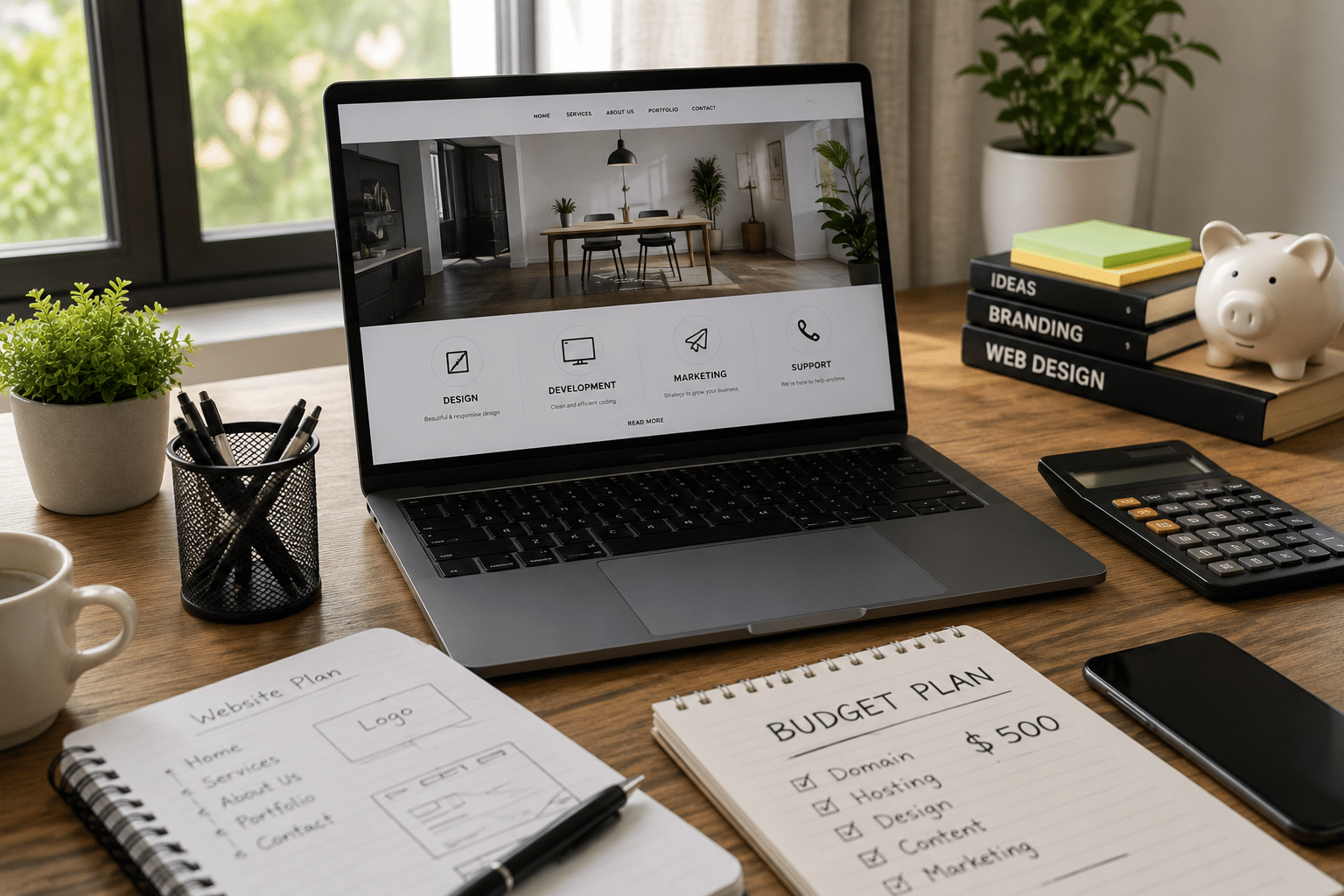
If you are searching for low cost web design in Australia, you are probably trying to balance three things: a professional-looking website, a realistic budget, and confidence that the final result will actually support your business. From my experience working with small business website projects, the cheapest option is rarely the best value. However, a lean, well-planned website can still be affordable, fast to launch, and strong enough to grow with your business.
Many Australian businesses do not need a huge custom platform at the start. Instead, they need clear messaging, mobile-friendly pages, fast loading, trustworthy contact details, basic SEO, analytics, and a simple path for customers to enquire or buy. Therefore, the goal is not to spend the least possible amount. The goal is to pay only for what matters now, while avoiding shortcuts that become expensive later.
What Is Low Cost Web Design?
Low cost web design means creating a functional, professional website within a controlled budget by prioritising essential pages, mobile-friendly design, clear messaging, basic SEO, secure hosting, and easy maintenance. In Australia, it should still include proper domain setup, privacy/admin basics, performance checks, and room to improve over time.
Table of Contents
- Why Low Cost Web Design Matters in Australia
- What Low Cost Web Design Should Include
- Cheap vs Affordable: The Important Difference
- Typical Low Cost Web Design Options in Australia
- Onshore vs Offshore Web Design: Comparison Table
- How to Plan a Low Cost Website Without Cutting Corners
- Low Cost Web Design Checklist for Australian Businesses
- SEO Basics for Low Cost Web Design
- Compliance and Admin Tasks to Consider
- Hidden Costs to Watch Before You Sign
- People Also Ask: Low Cost Web Design in Australia
- Expert Q&A: Low Cost Web Design
- Conclusion: Build Lean, Then Improve
Why Low Cost Web Design Matters in Australia
A website is often the first place Australians check before they call, book, request a quote, or visit a store. Because of this, even a small website has an important job. It needs to make your business look real, explain your services clearly, and help users take the next step.
Australia also has a large number of small and actively trading businesses, which means competition is high in many local markets. The Australian Bureau of Statistics reports millions of actively trading businesses across the Australian economy, so a clear website can help smaller operators compete with more established brands.
However, many business owners delay their website because they assume it must be expensive. In reality, low cost web design can work well when the project scope is controlled. For example, a five-page service website is usually easier and cheaper to build than a custom booking platform, ecommerce store, or membership portal.
Therefore, the smartest approach is to start with a focused website. Then, as your business grows, you can add landing pages, automation, ecommerce features, CRM integrations, or advanced SEO.
What Low Cost Web Design Should Include
Low cost web design should still be professional. It should not mean messy layouts, weak security, copied content, or poor mobile usability. At a minimum, a practical Australian small business website should include:
- A clear homepage that explains who you help and what you offer.
- A services page or product overview.
- An about page that builds trust.
- A contact page with phone, email, form, and service area details.
- Mobile-responsive design.
- Basic on-page SEO.
- Fast-loading images.
- Secure HTTPS setup.
- Basic spam protection for forms.
- Analytics or conversion tracking.
- Easy content editing.
In addition, the website should be built on a platform you can maintain. WordPress, Shopify, Squarespace, Wix, and Webflow can all suit different budgets and use cases. However, the best choice depends on your business model.
For example, a local plumber in Adelaide may only need a simple WordPress website with service pages and quote forms. Meanwhile, a Melbourne fashion retailer may need Shopify because ecommerce, payments, inventory, and checkout matter more.
Cheap vs Affordable: The Important Difference
Cheap web design focuses mainly on price. Affordable web design focuses on value. This difference matters because a cheap website can cost more in the long run.
A cheap website may look acceptable at launch, but it may have unclear ownership, weak hosting, poor SEO structure, slow page speed, no backups, or limited access. As a result, you may need to rebuild it earlier than expected.
Affordable low cost web design, on the other hand, uses a controlled scope. It removes unnecessary features but protects the essentials. For example, you might choose a clean template instead of a custom design system. However, you still invest in clear copy, mobile usability, contact forms, and technical setup.
From my experience, businesses get the best results when they start with a lean website and a clear upgrade path. This helps them avoid paying for features they do not need yet.
Typical Low Cost Web Design Options in Australia
There are several ways to approach low cost web design in Australia. Each option has strengths and limits.
DIY Website Builders
DIY platforms can suit micro-businesses, sole traders, side projects, and early-stage startups. They are usually quick to launch and include templates, hosting, and basic editing tools.
However, DIY websites can become limiting if you need advanced SEO, custom design, complex forms, or deeper integrations. Also, the time cost can be high. If you spend 30 hours building your own site, that time has a business cost even if the platform fee is low.
Template-Based WordPress Websites
A template-based WordPress website is one of the most common low cost web design options. It can provide flexibility, SEO control, and room to grow. It is often suitable for service businesses, consultants, trades, allied health providers, and local companies.
The key is to choose a clean, lightweight theme and avoid plugin overload. Too many plugins can slow the website and create maintenance issues.
One-Page Websites
A one-page website can work for a new business, event, personal brand, or simple campaign. It usually includes sections for services, benefits, testimonials, contact details, and a call to action.
However, one-page websites are not ideal for every SEO goal. If you want to rank for multiple services or locations, you will usually need dedicated pages.
Offshore Web Design
Offshore web design can reduce labour costs. It may work well when the brief is clear and the project manager understands the Australian market. However, communication, time zones, local search intent, Australian English, and quality control can become challenges.
Therefore, offshore support is often best used for production tasks, while strategy, copy, SEO planning, and final review should stay close to the target market.
Local Australian Web Design Packages
Local web design packages can cost more than DIY or offshore options, but they may reduce risk. A local provider is more likely to understand Australian spelling, state-based service areas, ABN references, .com.au domains, local trust signals, and customer expectations.
For businesses that rely on local leads, this context can be valuable.
Onshore vs Offshore Web Design: Comparison Table
| Option | Best For | Advantages | Risks | Good Low Cost Use Case |
| Australian onshore designer | Local service businesses, professional firms, brands needing local context | Easier communication, Australian English, local SEO awareness, stronger strategic input | Higher upfront cost than offshore | A 5–10 page website for a local service business |
| Offshore designer | Businesses with a clear brief and flexible timelines | Lower labour cost, scalable production support | Time zone gaps, quality variation, weaker local market context | Template setup or development support with local review |
| DIY builder | Sole traders, early ideas, temporary websites | Very low setup cost, quick launch, simple editing | Limited customisation, time-consuming, weaker SEO control | A simple brochure site or landing page |
| Hybrid model | Growing small businesses | Balances cost, strategy, and production efficiency | Needs good project management | Australian strategy plus cost-efficient build support |
How to Plan a Low Cost Website Without Cutting Corners
Good planning is the main reason low cost web design succeeds. Without planning, even a small website can become messy and expensive.
Start With the Website Goal
Before design begins, define the goal. Do you want calls, quote requests, bookings, ecommerce sales, newsletter signups, or trust-building? Each goal affects the layout.
For example, if you want quote requests, your contact form must be simple and visible. If you want bookings, the booking button should be easy to find on mobile. If you want local SEO, your service areas need to be clear.
Choose the Essential Pages
Most low cost web design projects should start with a small number of pages. A typical service business can begin with:
- Homepage
- About page
- Services overview
- Main service page
- Contact page
Then, you can add more service and location pages later. This staged approach keeps launch costs down while supporting SEO growth.
Write Clear Website Copy First
Design works better when the message is clear. Therefore, write or outline your website copy before final design. Your copy should explain:
- Who you help.
- What problem you solve.
- Why your approach is different.
- What users should do next.
- What proof supports your claims.
Avoid vague phrases such as “we deliver quality solutions.” Instead, explain the actual service, process, turnaround, inclusions, and outcome.
Use a Template Strategically
Templates are not bad. In fact, a good template can reduce design time and cost. However, the template should match your content, not force your content into awkward sections.
A strong low cost web design project often uses a proven layout, then customises colours, typography, images, copy, calls to action, and page structure.
Keep the First Version Lean
It is tempting to add blogs, animations, chatbots, booking tools, popups, calculators, and custom dashboards. However, each feature adds cost, testing, and maintenance.
Instead, launch with the essentials. Then, review analytics and customer behaviour before adding more.
Low Cost Web Design Checklist for Australian Businesses
Use this numbered checklist before you begin your website project:
- Define your main goal. Decide whether the website should generate leads, sell products, build credibility, or support referrals.
- List your must-have pages. Start with the smallest page set that can explain your business clearly.
- Prepare your business details. Include your business name, ABN if relevant, phone number, email, service areas, and trading hours.
- Choose a suitable domain. For many Australian businesses, a .com.au domain can build local trust, but eligibility and naming rules should be checked through auDA guidance.
- Collect brand assets. Prepare your logo, colours, fonts, photos, icons, and any existing brochures.
- Write draft copy. Even rough copy helps reduce design delays and revision costs.
- Choose your platform. Match the platform to your needs: WordPress for flexible content, Shopify for ecommerce, or a builder for simple DIY use.
- Plan basic SEO. Decide your main keywords, service areas, headings, title tags, and meta descriptions.
- Set up security basics. Use HTTPS, strong passwords, backups, updates, and reliable hosting.
- Test before launch. Check forms, mobile layouts, page speed, contact links, spelling, privacy/admin pages, and analytics.
SEO Basics for Low Cost Web Design
Low cost web design should include basic SEO from the start. Otherwise, you may pay later to fix avoidable issues.
Use Search Intent Before Keywords
Search intent means the reason behind a search. Someone searching “low cost web design Australia” may want pricing, examples, packages, or advice on avoiding bad providers. Therefore, your page should answer those questions clearly.
For local businesses, search intent can also include location. For example, users may search for “low cost web design Sydney,” “affordable web designer Brisbane,” or “cheap website design Perth.” If those locations matter to your business, you can build dedicated pages later.
Structure Pages Clearly
Each page should have one main topic. Use a clear H1, helpful H2s, short paragraphs, and internal calls to action. Also, avoid stuffing keywords. Google’s systems are designed to reward helpful, people-first content, so the page should genuinely answer the user’s question.
Optimise Title Tags and Meta Descriptions
The title tag should explain the page topic and include the main keyword naturally. The meta description should summarise the benefit and encourage a click.
For example:
- Title: Affordable Website Design for Local Businesses
- Meta description: Get a professional small business website with clear pages, mobile-friendly design, and practical SEO foundations.
Add Trust Signals
Trust signals help visitors feel safe. These can include testimonials, case studies, business registration details, industry memberships, payment options, guarantees with clear terms, and real contact information.
However, avoid fake reviews or exaggerated claims. Trust should be earned through proof.
Build for Mobile First
Many users will view your site on a phone. Therefore, buttons need enough spacing, text must be readable, and forms should be easy to complete. Mobile-first design is especially important for local services because people often search while they are ready to call.
Compliance and Admin Tasks to Consider
This section is general information, not legal advice. For legal obligations, speak with a qualified professional.
Australian business websites often need a few admin and compliance basics. These tasks are not always expensive, but they should not be ignored.
Domain Name Rules
If you register a .au domain, check the relevant rules. The .au Domain Administration, known as auDA, manages policy for .au domain names and publishes rules for eligibility and licensing. You can review the official guidance through auDA’s .au rules and policies.
Privacy Information
If your website collects personal information through forms, bookings, analytics, accounts, or ecommerce, privacy should be considered. The Office of the Australian Information Commissioner explains that the Australian Privacy Principles are principles-based and technology neutral. You can read more through the OAIC Australian Privacy Principles.
For a low cost web design project, this may mean adding a privacy policy page, explaining what information is collected, and checking form data handling. Again, this is administrative support, not legal advice.
Cyber Security Basics
Even small websites need security basics. The Australian Cyber Security Centre explains that cyber security incidents can have serious impacts on small businesses and provides practical guidance for common threats. A useful starting point is the ACSC small business cyber security guide.
At a practical level, this means using strong passwords, secure hosting, updates, backups, spam protection, and limited admin access.
Hidden Costs to Watch Before You Sign
Low cost web design can become expensive when the quote is unclear. Before you approve a project, ask what is included and what costs extra.
Hosting and Domain Renewal
Some quotes include hosting for the first year. Others do not. Ask about renewal costs, storage limits, backups, email hosting, SSL, and support.
Content Writing
Many low cost packages include placeholder copy only. If you need proper copywriting, service descriptions, SEO titles, or blog content, confirm the price.
Stock Photos and Licensing
Free images can look generic. Paid stock images, custom photography, or brand illustrations may cost extra. Make sure you have the right to use every image.
Revisions
A package may include one or two revision rounds. Extra revisions can increase the final cost. Therefore, prepare feedback carefully and collect comments from all decision-makers before sending changes.
Plugin and App Fees
WordPress plugins, Shopify apps, booking tools, form tools, and email marketing integrations can have monthly or yearly fees. These should be listed before launch.
Maintenance
Websites need updates. If no one updates the website, security and performance can decline. Ask whether maintenance is included or available as a separate plan.
What a Realistic Low Cost Web Design Budget Should Prioritise
A limited budget should go toward the parts of the website that affect trust, usability, and conversion.
First, invest in clear structure. A user should understand your business within seconds. Next, invest in mobile usability because many Australian users browse and enquire from phones. Then, invest in strong calls to action, such as “Request a quote,” “Book a consultation,” or “Call now.”
After that, focus on basic SEO. This includes headings, metadata, page speed, image alt text, internal structure, and local signals. Finally, make sure the site can be edited without calling a developer for every small change.
A good low cost website is not overloaded. Instead, it is simple, useful, and easy to improve.
When Low Cost Web Design Is Not Enough
Low cost web design is not suitable for every project. You may need a larger budget if your website requires:
- Custom ecommerce logic.
- Complex booking systems.
- Membership portals.
- Advanced search filters.
- Multi-location SEO at scale.
- CRM or ERP integrations.
- Custom calculators.
- High-volume content migration.
- Accessibility remediation.
- Enterprise-level security reviews.
In these cases, a low-cost first stage may still help. For example, you can launch a simple lead-generation site while planning a larger platform.
How to Choose a Low Cost Web Design Provider
Choosing the right provider matters more than choosing the cheapest quote.
Ask to see recent examples. Look at mobile layouts, loading speed, content clarity, and calls to action. Also, ask what platform they use and whether you will have admin access.
A trustworthy provider should explain trade-offs clearly. For example, they might say, “A template will reduce cost, but a custom design will give more brand control.” That kind of explanation helps you make an informed decision.
Also, ask who owns the website files, domain, content, and accounts. Your business should control key assets such as the domain, hosting login, analytics, and website admin access.
For Australian businesses wanting a practical, growth-focused starting point, explore RevgenX’s website design support for small business growth.
People Also Ask: Low Cost Web Design in Australia
Is low cost web design good for a new Australian business?
Yes, low cost web design can be a smart choice for a new Australian business when the scope is realistic. Start with essential pages, clear messaging, mobile-friendly design, and basic SEO, then improve the site as revenue grows.
How much should a low cost website include?
A low cost website should include the basics needed to look credible and generate action. At minimum, that usually means a homepage, service information, contact details, mobile responsiveness, secure setup, and simple SEO foundations.
Can a cheap website rank on Google?
A cheap website can rank if it is useful, technically sound, and aligned with search intent. However, poor content, slow loading, weak structure, and missing local signals can make ranking difficult, even if the design looks modern.
Should I use WordPress for low cost web design?
WordPress can be a strong option for low cost web design because it is flexible and widely supported. However, it needs proper setup, reliable hosting, regular updates, and careful plugin choices.
Is offshore web design a good idea for Australian businesses?
Offshore web design can work if the brief is clear and quality control is strong. However, Australian businesses should check local language, SEO context, time zones, support, and ownership before choosing an offshore-only approach.
Expert Q&A: Low Cost Web Design
1. What is the biggest mistake businesses make with low cost web design?
The biggest mistake is focusing only on the upfront price. A very cheap website may skip planning, copywriting, SEO, backups, or mobile testing. As a result, the business may need a rebuild sooner than expected.
2. How can I reduce web design costs without lowering quality?
Reduce the scope, not the standards. For example, start with five strong pages instead of fifteen weak pages. Use a quality template, prepare content early, provide organised feedback, and avoid unnecessary features at launch.
3. What pages should a low cost service business website include?
Most service businesses should start with a homepage, about page, services page, key service page, and contact page. Later, they can add location pages, detailed service pages, blog articles, case studies, and landing pages.
4. Do I need ongoing maintenance after a low cost website is launched?
Yes, most websites need maintenance. Updates, backups, security checks, form testing, and content edits help protect the site. Without maintenance, even a good website can become slow, outdated, or vulnerable.
5. What should I ask before accepting a low cost web design quote?
Ask what is included, what costs extra, who owns the website, whether hosting is included, how many revisions are allowed, whether SEO basics are covered, and whether you can edit the site yourself after launch.
Conclusion: Build Lean, Then Improve
Low cost web design can be a smart investment for Australian businesses when it is planned properly. The aim is not to build the biggest website on day one. Instead, the aim is to launch a clear, professional, mobile-friendly website that supports trust, enquiries, and future growth.
Therefore, focus on essentials first: useful pages, clear copy, mobile usability, secure setup, basic SEO, and simple conversion paths. Then, use real customer feedback and analytics to decide what to improve next.
A lean website can still be strong. With the right structure and honest priorities, low cost web design can give your business a credible online foundation without wasting money on features you do not need yet.